Every fault has an address.
A business call passes six stages on its way to a person. Tell us the symptom and we'll show you which stage to check, and how to check it safely, on the Avaya, Mitel, Cisco or NEC system you already have.
- Calls reach the wrong personStage 02
- Team phones don't ringStage 04
- Wrong place out of hoursStage 03
- Should we replace our system?Assessment
- No calls coming in at allStage 01
- Callers can't hear us (or we can't hear them)Stage 01
- Calls drop after a few minutesStage 01
- Calls go to voicemail too soonStage 06
- The menu sends callers to the wrong placeStage 06
- Calls forwarded somewhere unexpectedStage 05
- Avaya phone stuck on DiscoverHandset
- Cisco phone won't registerHandset
- What does the ISDN switch-off mean for us?Lines
- Will our alarms and lift lines still work?Lines
- Find the user guide for my phoneHandset
- What is a PBX phone system?Glossary
- When will our lines go digital?Lines
- What is ISDN, and do we have it?Glossary
- Find the manual for my Mitel phoneHandset
- How do I use my NEC phone?Handset
No guide matches yet. Ask us instead.
- Answer first, no forms
- Read-only checks
- Sources on every guide
- Vendor-neutral
Many "broken" phone systems are just set up wrong.
When calls ring the wrong desk, go to voicemail at lunchtime or never reach a team, the hardware is usually fine. Something in the call's path is set up in a way nobody expected: a number matched to an old destination, a time profile that thinks it's a bank holiday, a hunt group that still lists someone who left last year.
Every business phone system, from an Avaya IP Office in a ten-person office to a Cisco cluster across several sites, makes the same handful of decisions for every call. If you know which decision went wrong, you know where to look. That's what this hub is for: matching what you hear to the exact setting that causes it, before anyone changes anything.
We write for the person who looks after the phones alongside their real job, office managers, IT generalists and practice managers, and we keep the deep reference material for engineers further down every page.
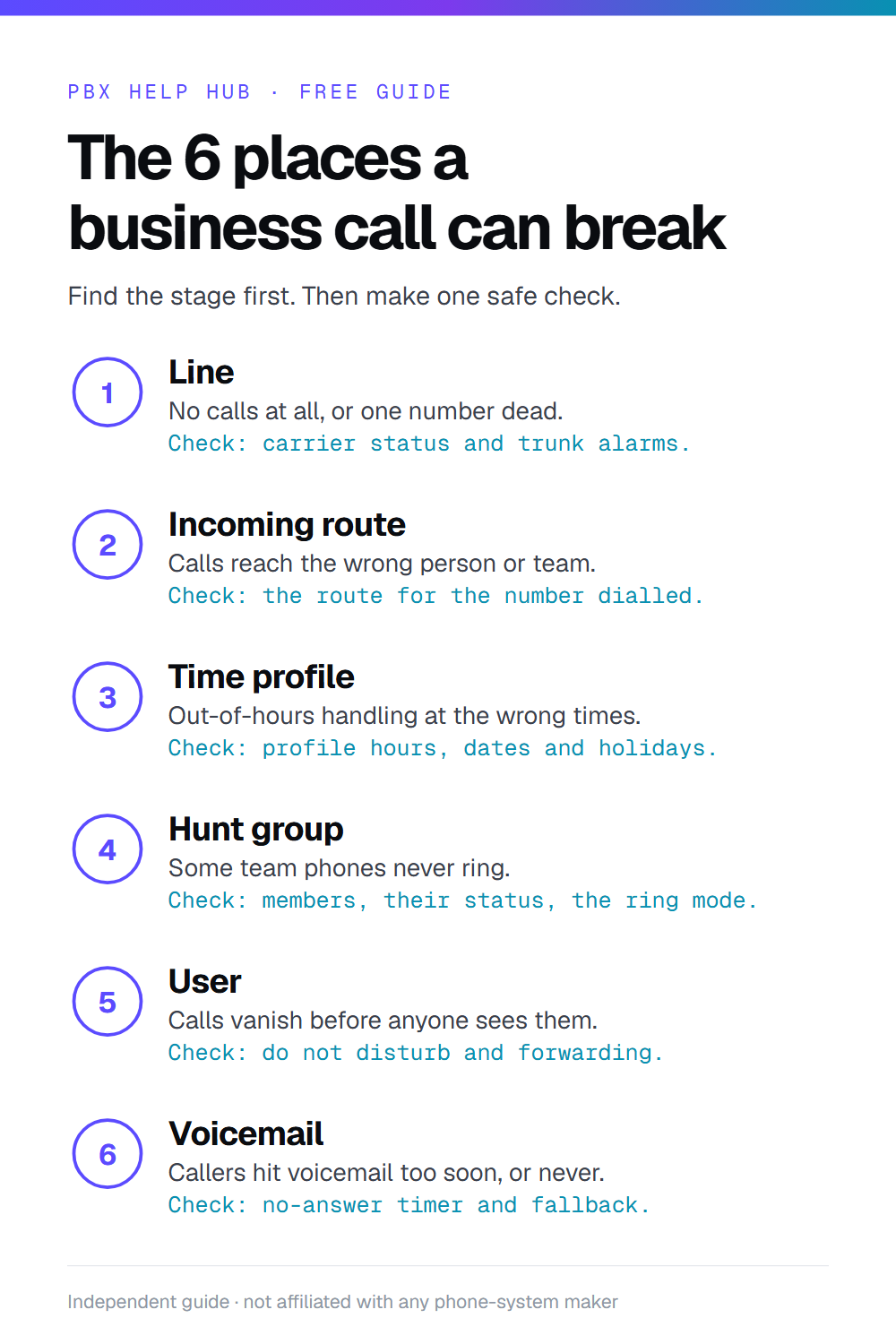
Six stages. Six kinds of fault.
Match the symptom to the stage before changing anything. Each stage has its own guide, a diagram of the call, and a first check that's safe to do.
Line
No calls at all, an engaged tone for callers, or one number that's gone dead.
First check: do outgoing calls work? If not, talk to your carrier before touching the system.
Read the guide →Incoming route
Calls land on the wrong person or team, or a direct number rings reception.
First check: note the exact number dialled, then find the route that matches it.
Read the guide →Time profile
Out-of-hours handling switches on at lunch, stays on in the morning, or misses a bank holiday.
First check: write down when it happens and compare it with the profile's hours.
Read the guide →Hunt group
Some team phones never ring, or calls always go to the same person first.
First check: compare the group's members and ring pattern with who actually rang.
Read the guide →User
Calls vanish into Do Not Disturb, a forward to an old mobile, or a logged-out handset.
First check: look at the user's DND and forwarding status, not their phone.
Read the guide →Voicemail
Callers hit voicemail too soon, never get it, or hear the wrong greeting.
First check: check the no-answer time and which mailbox the call falls back to.
Read the guide →Built for the systems UK offices still run.
We go deepest on Avaya IP Office, with a smaller set of guides for Mitel, Cisco and NEC.
Avaya IP Office
Still one of the most common small-business systems in the UK. Guides cover incoming call routes, hunt groups, time profiles and night service, SIP lines and handsets, plus what its support status means for you.
Open the Avaya IP Office guides →Mitel MiVoice
Phones not ringing, MiVoice Office 250 status, and manuals, and how to plan around the system's support status.
Open the Mitel MiVoice guides →Cisco CUCM
Phones that won't register, and finding your model's guide.
Open the Cisco CUCM guides →NEC UNIVERGE
SV9100 phones not ringing, and desk phone basics.
Open the NEC UNIVERGE guides →How to use the hub.
Three steps, whatever the system. You only need to read as far as your problem goes.
Describe what callers hear
Start from the symptom, not the setting. "Reception's phone rings for the sales line" is more useful than "the router is wrong". The search above and every guide begin there.
Find the stage
Each guide names the stage most likely to cause that symptom, shows the call's route on an animated diagram, and explains the setting in plain English.
Check safely, then decide
Follow read-only checks in order. If the fix needs a configuration change you're not sure about, stop there: you'll know exactly what to tell your maintainer, or you can ask us.
Common questions.
Is it safe to follow these guides on a live system?
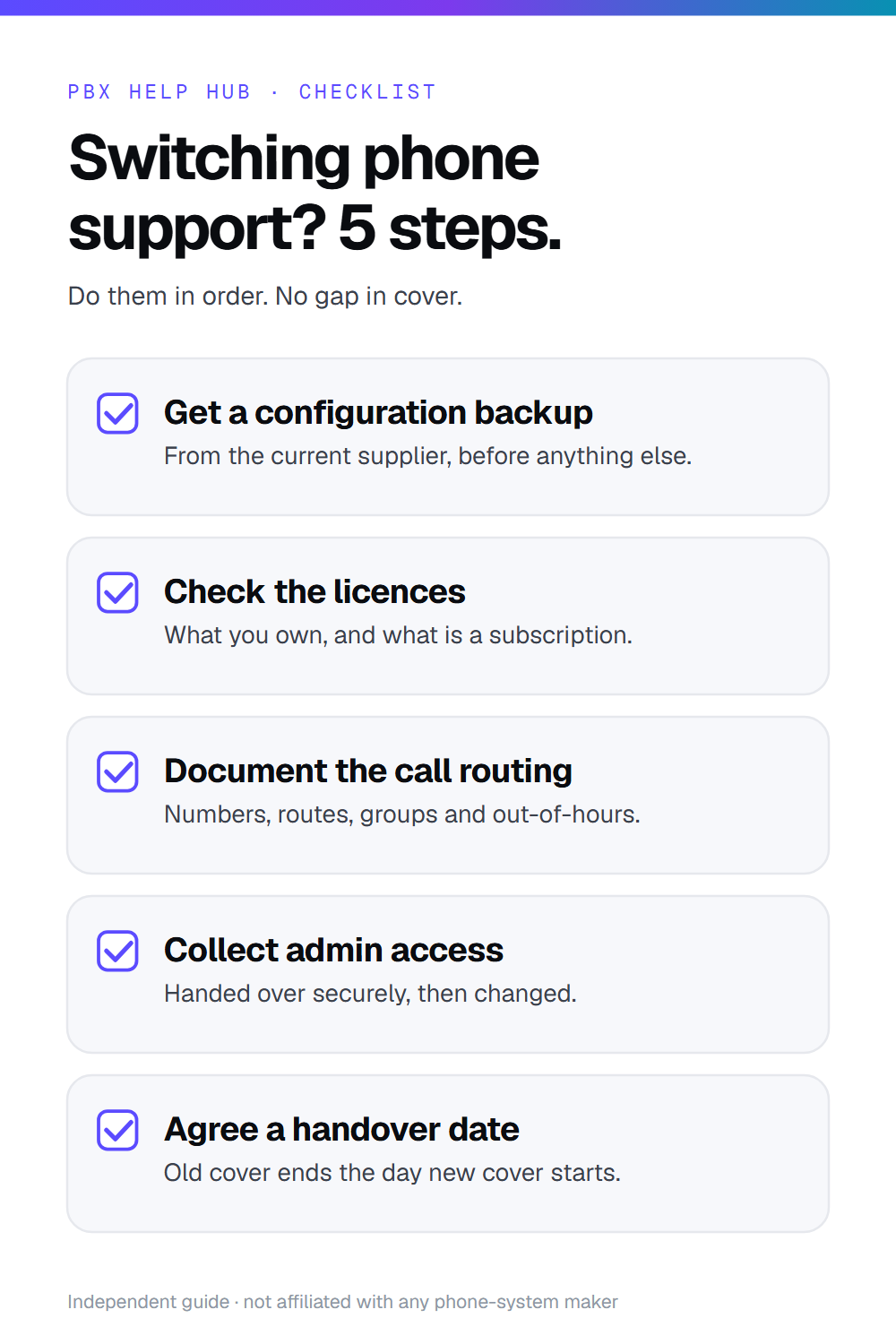
Every guide starts with read-only checks: looking, noting and test-calling, not changing. Where a fix needs a configuration change, we say so clearly, explain what it affects, and suggest you take a backup or ask your maintainer first.
Do I need engineer access to my phone system?
Not for most first checks. Many faults can be narrowed down by making a test call and noting what happens. Some later steps need administrator access to the system's management tool, and the guide tells you when you've reached that point.
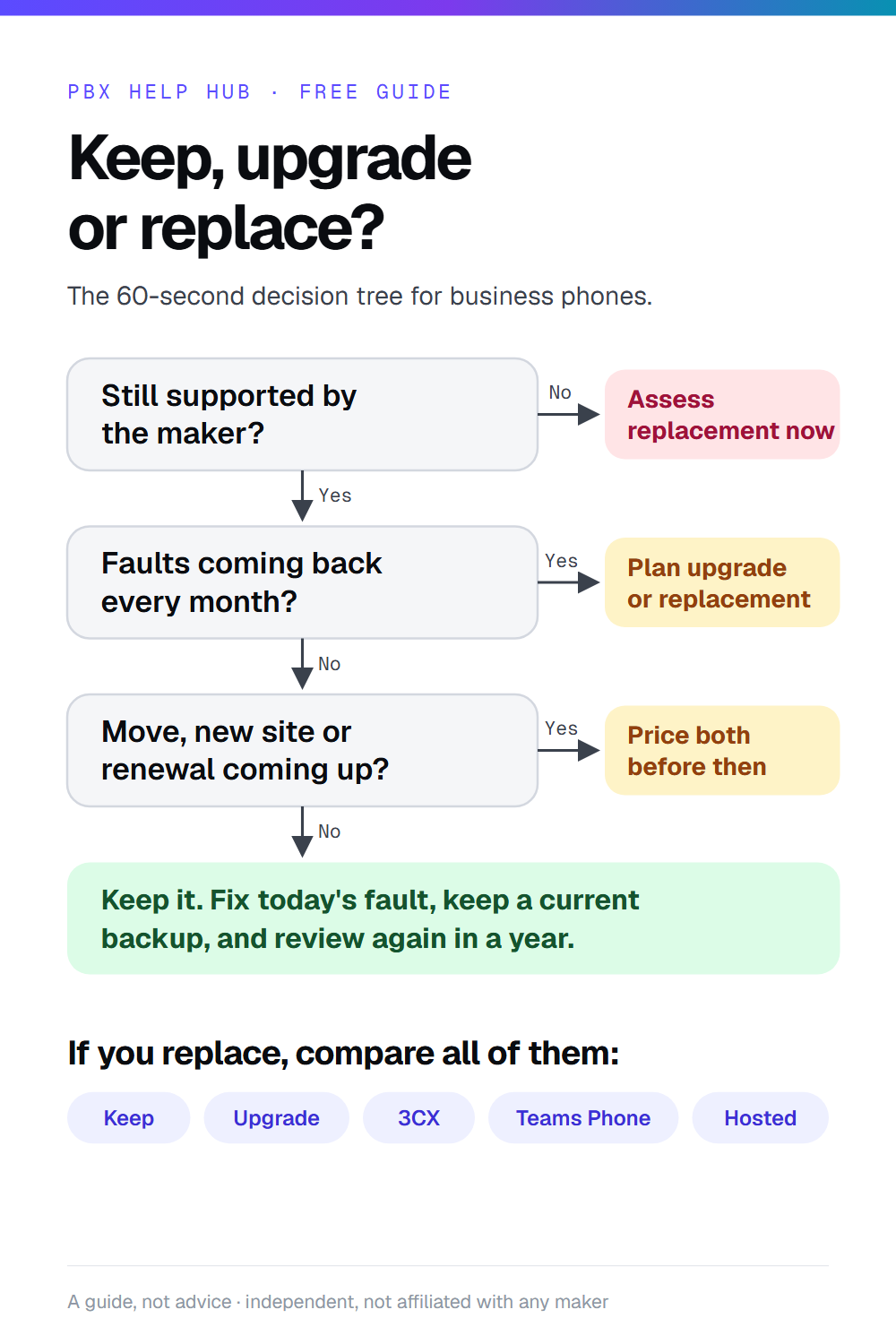
My system is old. Should I just replace it?
Not automatically. An older system that's configured well can keep running for years, and replacing it brings its own costs and risks. Our decision guide and replacement assessment walk through support status, parts, lines and your team's needs, and compares staying put fairly with moving to options such as 3CX or Teams Phone.
What does the ISDN and analogue switch-off mean for my phones?
UK providers are retiring traditional ISDN and analogue lines in favour of internet-based calling. If your system still uses those lines, it will need a SIP or other IP connection before your provider switches yours off. Check your own provider's dates; our ISDN guide explains what changes and which devices still need attention.
How are the guides checked?
Against the makers' own documents and notices, with the sources listed on each guide. Each page shows when it was last checked. Menus and defaults vary by software release, so confirm them on your own system before changing anything.
Are you linked to Avaya, Mitel, Cisco or NEC?
No. We're independent and not affiliated with any manufacturer. Product names are used only to describe the systems the guides cover.
Follow a call through your phone system
Press a stage, or let it play. Each one shows what happens, how it goes wrong and the first safe check.
Follow a call through all six stages
Press a step to jump to it. Save the GIF to share it.
Free to share. Print, pin or post.
Three one-page guides for whoever looks after your phones. Each is a 1000×1500 image, sized for Pinterest and easy to print. Click one to open the page it comes from.


Found the stage, not the fix?
Send what you've found. We read it and reply with the likely cause and your options: repair, upgrade or replace.